
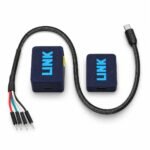
Device Link Wireless UART Communication Kit – 3.3Vdc / 5.0Vdc

Device Link — Wireless UART Communication Kit

Bring your serial connection within reach. Send commands, inspect replies and record UART traffic through a dedicated browser console, using a direct wireless link between the computer and target units.

  • Two-unit kit with a direct Wi-Fi connection; no external router required.
  • Two colour-coded target UART connectors: green for 5 V and yellow for 3.3 V; one active at a time.
  • USB-C computer connection and dedicated four-wire target cable.
  • ASCII, HEX and Text views with command transmission.
  • Continue the prepared data bridge with another serial application after closing the page.
  • RX/TX recording and export for communication analysis.
  • Device Link 3.1 setup with saved manual TX/RX swap and external serial application handoff.
SKU: 27415

Safe shopping

Your data is always protected

Sale_coupon_15

5,200.00 EGP

16 People watching this product now!
  • In-Store Pickup

Everyday from 10 AM to 7 PM

  • Bosta Shipping

48 Hrs

Free over 5,000 EGP

  • 14-day returns on eligible items

Payment Methods:

Cash on deliveryInstaPayVodafone CashCredit / debit cardsMobile wallets

Description

Device Link – Wireless UART Communication Kit

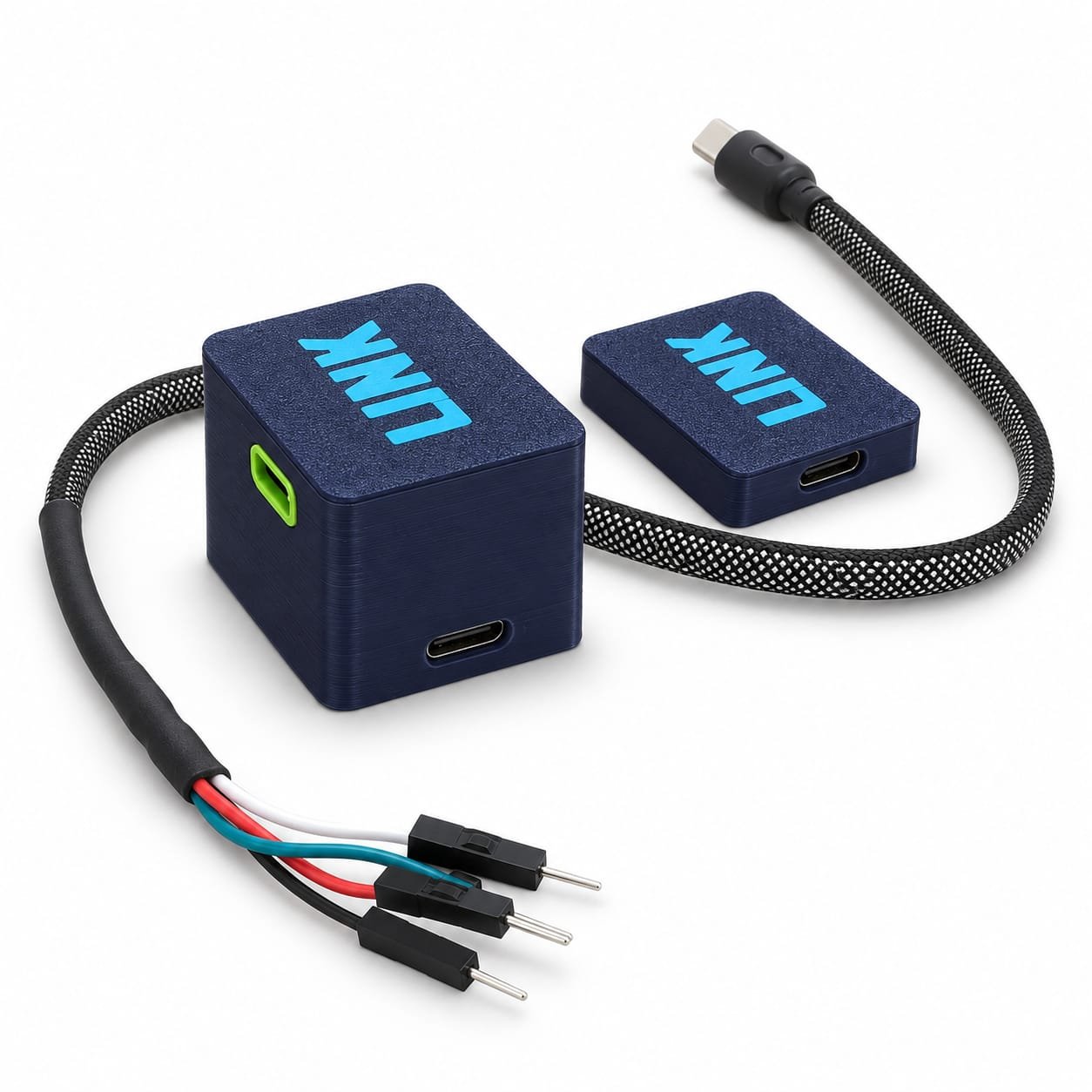
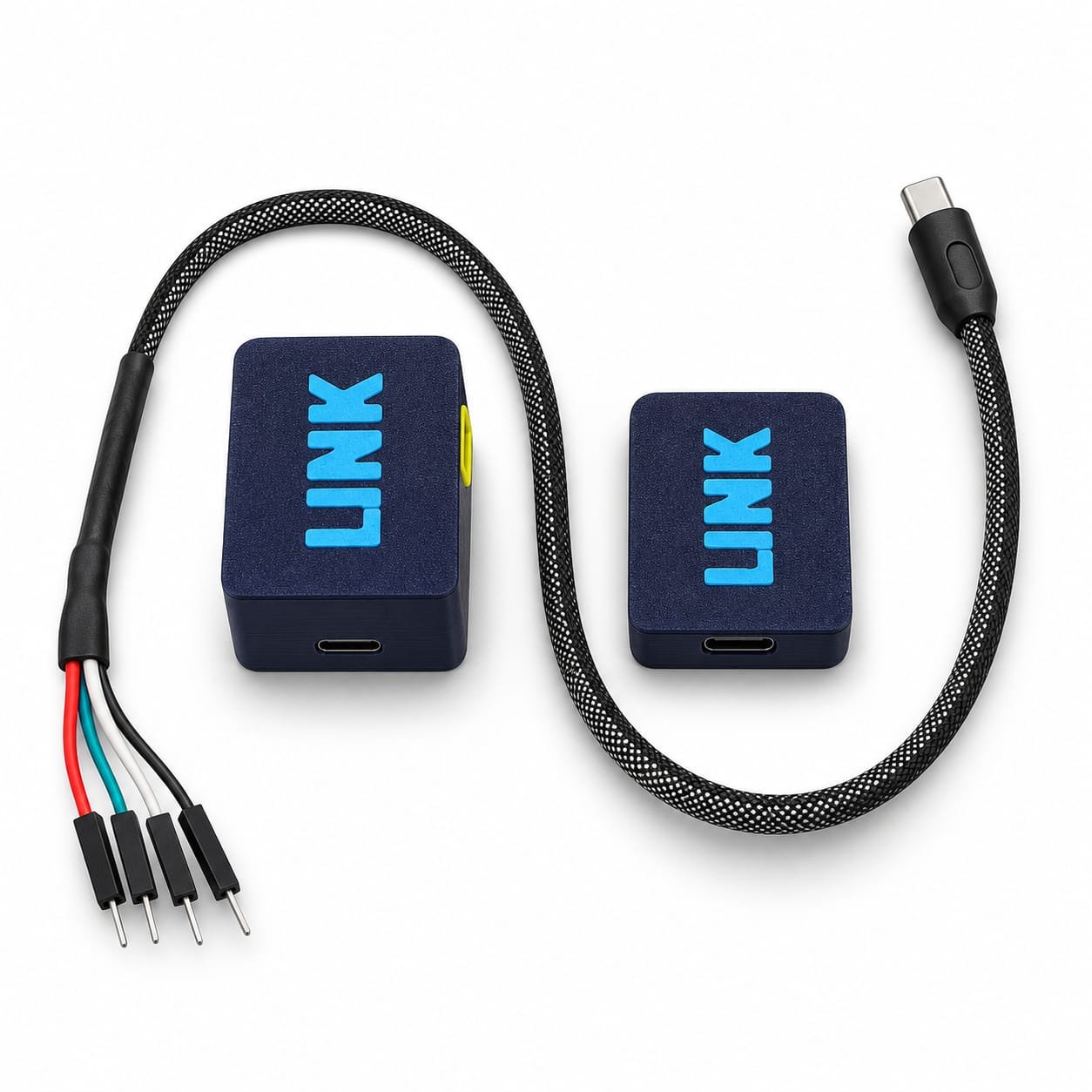
A practical link between your computer and a UART target. Device Link uses two dedicated units: a computer-side unit connected by USB-C and a target-side unit connected through a four-wire cable. The units communicate directly over Wi-Fi, carrying commands and replies in both directions.

The computer does not need to join the wireless network. No external router or internet service is required for the unit-to-unit data link. Use the dedicated Device Link 3.1 browser console to configure a connection, inspect traffic and capture a session, or prepare the same USB COM port for a separate serial application.


Features

  • Direct wireless UART: Send commands and receive target data without a data cable between the two units.
  • Selectable target paths: The target unit has two UART connectors: green for 5 V and yellow for 3.3 V. Choose the connector matching the target signal level. One path is active at a time.
  • Dedicated browser console: A focused interface for connection setup, live traffic and command transmission, with a standalone local HTML fallback for offline use.
  • Continue in another serial application: After setup is confirmed, release the same USB COM port to your serial application. The units maintain the data bridge independently of the browser page; no helper application or virtual COM pair is required.
  • Manual TX/RX swap: Select Normal or Swap TX/RX before starting the session. The target-side unit changes the signal-pin roles and confirms the result; each 3.3 V and 5 V path retains its own saved direction.
  • Link readiness before sending: Transmission is enabled only after both Device Link units report ready.
  • Cable check mode: With the external target disconnected, check the selected TX or RX cable path against ground. UART transmission is disabled during this test; a detected LOW level makes the status indicators on both units steady.
  • Flexible UART format: Set baud rate, data bits, parity and stop bits to match your target.
  • Three data views: Read commands in ASCII, inspect exact bytes in HEX, or use the escaped Text view.
  • Command control: Send ASCII, HEX bytes or UTF-8 text with selectable line endings.
  • Capture and export: Record RX/TX traffic and download the captured bytes for later analysis.
  • Reusable setup: Save connection settings for repeated test sessions.
  • Version-matched setup: Device Link 3.1 firmware uses its matched browser console for setup. Earlier Device Link EXE and web interfaces are not supported; ordinary serial applications use the released data connection after the new setup is complete.

Specifications

ProductDevice Link — complete two-unit kit
Target interfaceBidirectional UART
Inter-unit connectionDirect Wi-Fi link
Computer connectionUSB serial through the computer-side USB-C port
Target signal pathsSelectable 3.3 V / 5 V; one active at a time
Target-side connectorsTwo target UART connectors: green = 5 V and yellow = 3.3 V, plus a separate USB-C power-only input
Target cableDedicated USB-C-to-four-wire cable: power, ground, TX and RX
UART formats7 or 8 data bits; None, Odd or Even parity; 1 or 2 stop bits
Signal directionManual Normal / Swap TX/RX selection; applied and saved on the target unit independently for each signal-level path
External application useSame physical USB COM port, one application at a time, after confirmed browser setup and port release
Traffic viewsASCII / HEX / Text
Send formatsASCII / HEX bytes / UTF-8 Text
Line endingsNone / CR / LF / CRLF
Computer consoleDevice Link 3.1 browser console; desktop Chrome or Edge with Web Serial available
Recording capacityUp to 16 MiB of combined RX/TX payload or 100,000 chunks, whichever is reached first; retained in browser memory until downloaded
Offline fallbackStandalone local HTML console; no internet service or local server required by the fallback file
Data-link internet requirementNone; the two units communicate directly

Benefits

  • A clearer workflow: Configure, send and inspect from one console.
  • Easier serial troubleshooting: Compare readable messages with their exact byte values.
  • Useful session evidence: Keep recorded communication for later review.
  • Less cabling between locations: Place the target unit beside the equipment and the computer unit beside the laptop.

Connections and power

Target UART connectorSignal level
Green connector5 V UART
Yellow connector3.3 V UART
  • Computer unit: Connect its USB-C port to the computer using the supplied USB cable.
  • Target unit: Use the dedicated target cable with the green connector for 5 V UART or the yellow connector for 3.3 V UART, matching the target signal level. The separate power-only input is not a third UART connector.
  • Four-wire cable: Red is the power connection; black is ground; the other two wires are TX and RX. Follow the supplied wiring identification.
  • Target-unit power: Use the power-only input, or a suitable supply through the target cable power/ground pair when the supply has the required voltage and sufficient current.

The target connectors use the dedicated cable and are not standard USB data ports for arbitrary equipment. The red wire must not be assumed to be an output for powering the target. Select the correct signal level before connecting the UART lines.


Typical applications

  • Inspecting UART messages and target responses.
  • Sending device commands during development and servicing.
  • Checking command byte values and message endings.
  • Recording communication for later investigation.

Package contents

  • 1 × computer-side Device Link unit.
  • 1 × target-side Device Link unit.
  • 1 × dedicated USB-C-to-four-wire target cable.
  • 1 × USB cable for the computer-side unit.

Quick start

  1. Connect the computer unit by USB. Connect and power the target unit following the supplied wiring guide.
  2. Open the Device Link 3.1 console in desktop Chrome or Edge.
  3. Select the target signal level and UART settings, then choose the Device Link USB port when prompted.
  4. Choose Normal or Swap TX/RX as required and wait for the target unit to confirm the direction and readiness. Swapping stops UART temporarily and reverses the target unit pin roles; it does not require rewiring the cable.
  5. Use the console directly, or select Use external program and open the same COM port in your serial application with matching target UART settings. Wait for the unit indicators to be steady before sending. The page may then remain closed while the units bridge data.
  6. Download browser captures before closing. Close the external application before returning to the console. After USB power is removed or the PC-side unit restarts, prepare a new session from the console.

Operating notes

  • Browser permission is required for USB serial access. Company browser and USB policies may restrict operation.
  • A tested maximum baud rate and wireless range are not specified.
  • Recordings are retained in browser memory until downloaded and stop at 16 MiB of RX/TX payload or 100,000 chunks, whichever is reached first. A bounded preview is not a complete capture.
  • Cable check detects a grounded signal path; it does not verify target communication, all cable contacts, electrical ratings or universal continuity. Disconnect the external target first and follow the console instructions.
  • Earlier Device Link EXE/web interfaces remain incompatible. Ordinary serial applications can use the same COM port after Device Link 3.1 setup and release; the console and external application cannot own the port simultaneously.
  • After confirmed setup, closing or suspending the browser page releases console control without requiring the browser to maintain the wireless bridge. This does not preserve browser recording or guarantee buffering between applications. Stop, USB power loss, computer sleep or a transport fault can end the session.
  • TX/RX swap is a manual selection. Select the direction before starting external-application traffic and close that application before changing the direction in the console.
  • Text transmission uses UTF-8; received Text view escapes individual non-printable bytes.
  • Target receipt or command execution requires a target reply; a local transmission counter alone does not prove either.
  • The product is a UART communication kit. Additional interface converters are required for incompatible electrical interfaces.